
PlutoTV: Stream Free Movies/TV
Pluto, Inc.Entertainment
3.8119.49K Reviews
- Version
- 17.4.0
- Installs
- 100.00M
- Age Rating
- Teen
Screenshots
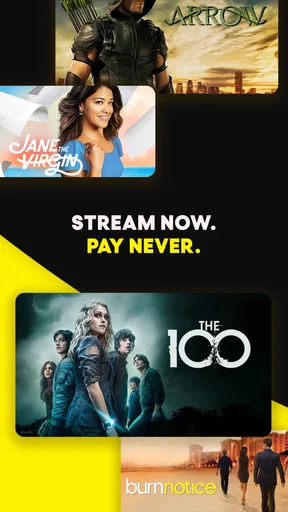
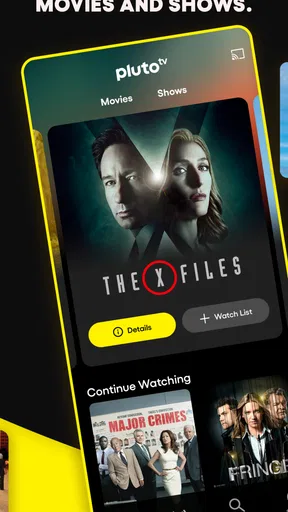

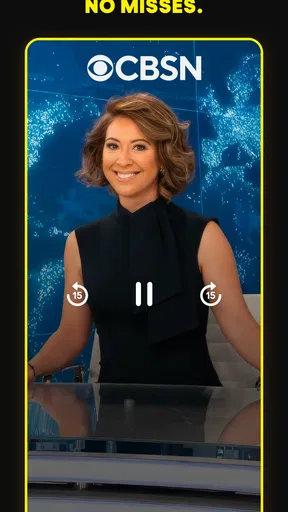
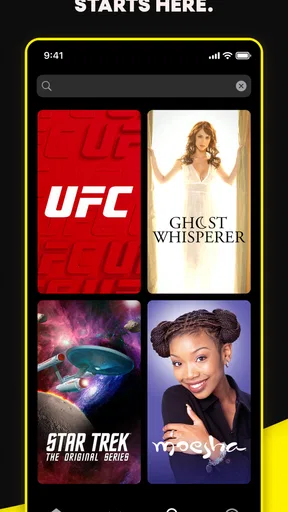
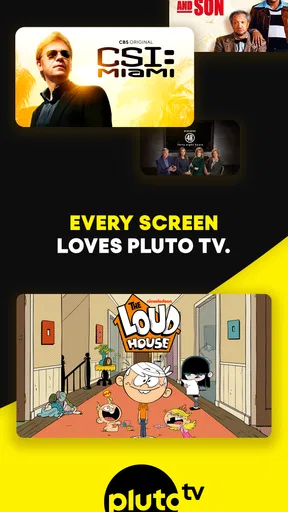
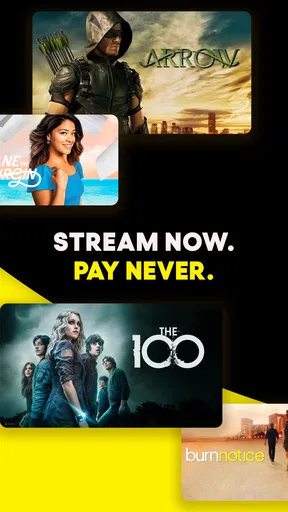
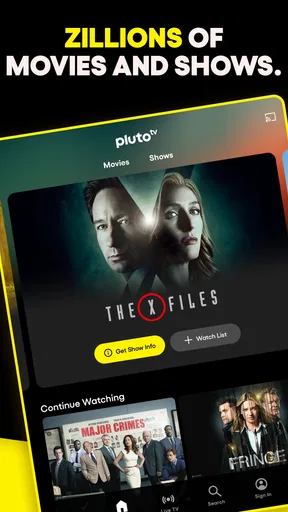
Our Review of PlutoTV: Stream Free Movies/TV
 Analysis by Appyee
I like PlutoTV best when I treat it as a way to find something to watch, rather than as a replacement for every streaming service. It combines a live-channel experience with movies and series that I can dip into without adding a subscription bill. That makes it useful for an unplanned evening or a few minutes of background viewing, though its ad-supported format and scheduled programming mean it asks for a different kind of patience than a conventional on-demand library.
On Android and iOS, this free entertainment app comes from Pluto, Inc. It has been available since March 31, 2014, and works on Android 5.0 or later. Its Teen age rating is worth keeping in mind for families deciding whether it suits younger viewers. The app has a 3.7 average from around 777,000 ratings, alongside roughly 117,000 written reviews, and it has passed 100 million installs. Those figures suggest broad reach, but I would still judge it by whether its particular mix of scheduled channels, films, and advertising fits your habits.
Why the channel format can be a real advantage
The first thing I find useful is that PlutoTV does not require me to arrive with a precise title in mind. A live channel gives me a program already in progress, so I can browse by subject, settle on something, and let it play. That is a refreshing change from opening a large on-demand catalog and spending the whole evening comparing thumbnails. If I want background entertainment while cooking or folding laundry, the channel guide can be a better starting point than a search box.
The original article praised the range of subjects, including news, sports, entertainment, true crime, classic TV, and channels built around particular shows or themes. That variety is the app’s clearest strength, but the practical benefit is less about having an impressive list and more about reducing the effort of choosing. I can start with a genre when I have a vague mood, then switch if the current program does not suit me. A themed channel can also make a relaxed, low-effort watch: instead of picking and queuing several episodes or films, I can leave a familiar kind of programming running.
There is a trade-off hidden in that convenience. Live programming is not the same as having complete control over what plays next. If I join partway through a program, I may have to accept that it has already started or move to another option. For a viewer who wants to watch a particular episode from the beginning, in a chosen order, a dedicated on-demand service is usually the more dependable fit. PlutoTV makes more sense when browsing is part of the pleasure, not when every viewing session has a fixed target.
A useful routine for finding something quickly
When I open the app without a plan, I get more out of it by deciding first whether I want scheduled viewing or a specific title. For a casual background session, I browse the channel categories and use the guide to see what is playing rather than repeatedly hopping at random. That small choice helps me avoid turning a simple break into a long search. If I have a movie in mind, I use search or browse the movie area instead of assuming it will be on a live channel.
The guide is also helpful for planning around a program that is coming up. The original review noted that it shows what is available and what is next, which gives the experience a familiar TV-schedule feel. I would use that view when I want to catch a particular kind of show but am flexible about the exact title. It is less helpful if I need a guaranteed start time for a specific film, because a schedule is not the same as a personal watchlist or a promise that a title will remain available on demand.
A realistic use case is an evening when I have finished dinner, do not want to pay for another subscription, and cannot decide what to watch. I can check the guide, pick a channel that matches my mood, and let it run while I tidy up. If something catches my attention, I can stay; if not, changing categories is easier than committing to a long series. On another day, I might browse the movie selection for a weekend film. These are modest tasks, but they are exactly where a free service can be more convenient than signing into a paid platform just to fill a short gap.
Movies, ads, and the limits of free viewing
For films, PlutoTV gives me a different experience from a paid catalog. There is an assortment across genres, and the original review found old-school horror among the available choices. That makes the movie section appealing for casual discovery: I can browse when I want a film but do not need a carefully curated new release. I would not treat it as the one place to find every current hit or a particular title on demand. If a movie is essential to my plans, I would check whether it is actually available before settling in.
Ads are the clearest cost of using a free service. They interrupt the flow, and anyone used to uninterrupted paid streaming may find that change more noticeable than the original review’s description of them as manageable suggests. I see them as a reasonable exchange when I am watching casually and have not paid for access, but they can be frustrating during a focused film or when I am trying to watch a short program in a hurry. The right question is not whether the ads exist; it is whether the free access is worth that interruption for the way I watch.
Compared with subscription video apps, PlutoTV is stronger as a no-cost browsing option than as a source of precise control. A paid service can be a better choice when I want a specific series, a predictable episode order, or a session with fewer interruptions. Compared with ordinary live television, PlutoTV offers an app-based way to browse themed programming and movies, while still retaining the scheduled-channel feel. If I already enjoy switching channels and discovering what is on, that format feels natural. If I dislike schedules and want every choice to wait for me, I would look elsewhere.
Who I would recommend it to
I would recommend PlutoTV to someone who wants entertainment without another recurring payment and is happy to browse rather than demand a specific title every time. It is particularly suited to viewers who like channel surfing, want something to play in the background, or enjoy dipping into different genres without planning a full watchlist. It can also be a useful second app alongside a paid service: I can keep the subscription for the shows I follow closely and use PlutoTV when I want an easy, free alternative.
I would be more cautious about recommending it to someone who values uninterrupted viewing, needs a particular movie to be available at a certain moment, or prefers to control every episode and start time. Families should also take the Teen rating into account and make their own decision about what is suitable for younger viewers. The app is not automatically the best fit just because it costs nothing; the channel schedule, available selection, and advertising all affect the experience. Someone who wants a tightly organized, predictable watch session may be happier with a service designed around on-demand viewing.
If you are wondering whether you need to pay or enter a card to try it, the appeal is that it is free and does not require a subscription or credit card, as the original review noted. If you are asking whether it works on your phone, the Android requirement is version 5.0 or later, and it is also available on iOS. For a viewer deciding between live channels and movies, I would start with the guide for an aimless session and the movie area when I want to choose a film. That simple distinction helps set realistic expectations before the ads or schedule become a surprise.
Ever find yourself scrolling through endless streaming services, overwhelmed by choices, and just wish there was a simpler option? Well, let me introduce you to PlutoTV: Live TV & Free Movies. It’s a fabulous app that brings you over 250 channels of live TV and thousands of movies to stream—all for free. Yes, you heard me right, free! It’s like having cable without the hefty bill at the end of the month.
Getting Started: The Basics
Downloading PlutoTV: Live TV & Free Movies is as easy as pie. Available on both Android and iOS, just a quick search in the app store, and you’re ready to go. The app doesn’t require a credit card or subscription, which is a breath of fresh air in today’s subscription-laden world. Once you open it, you’re greeted with a straightforward interface that’s super user-friendly.
Channel Surfing: What’s on Offer?
The variety of channels on PlutoTV is genuinely impressive. Whether you're into news, sports, entertainment, or even niche genres like true crime and classic TV, there’s something for everyone. I was particularly delighted to find channels dedicated to specific shows or themes, like the James Bond channel. Seriously, it’s like a buffet of content, and I’m here for it!
Switching between channels is smooth and intuitive. You can easily browse through categories or use the search function if you’re looking for something specific. However, keep in mind that because it’s free, you’ll have to sit through some ads, but they’re pretty manageable and a small price to pay for the wealth of content available.
Movie Night, Anyone?
If live TV isn’t your thing, PlutoTV has you covered with an extensive library of free movies. From cult classics to recent hits, you can catch a variety of films across different genres. I spent a weekend binging on old-school horror flicks and was pleasantly surprised by the selection available.
One feature I appreciate is the movie guide, which makes it easy to see what’s available and what’s coming up. It’s like flipping through a digital TV guide, sparking a bit of nostalgia for those of us who remember the days before on-demand content was a thing.
The Final Verdict
In a world where streaming services are a dime a dozen, PlutoTV: Live TV & Free Movies stands out by offering a completely free alternative. It’s perfect for anyone looking to cut down on subscription costs without sacrificing entertainment. Sure, the ads can be a minor inconvenience, but they’re worth the trade-off for the free content. Plus, the diverse range of channels and movies keeps things fresh and interesting.
So, if you’re looking for a cost-effective way to enjoy a wide array of TV shows and movies, give PlutoTV a whirl. It might just become your new go-to app for entertainment!
Privacy and Permissions
See what permissions an app requests and how it handles your data.
- Device & app history
- retrieve running apps
- Identity
- add or remove accounts
- Location
- approximate location (network-based)
- Microphone
- record audio
- Wi-Fi connection information
- view Wi-Fi connections
- Other
- view network connections, connect and disconnect from Wi-Fi, expand/collapse status bar, measure app storage space, full network access, run at startup, control vibration, prevent device from sleeping
Verdict
Strengths of PlutoTV: Stream Free Movies/TV
- Wide variety of channels available.
- No subscription required for access.
- User-friendly interface and navigation.
- Frequent content updates.
- Compatible with multiple devices.
Limitations of PlutoTV: Stream Free Movies/TV
- Contains frequent ads during streams.
- Limited on-demand content options.
- Some channels may buffer occasionally.
- No offline viewing capability.
- Regional content restrictions apply.
Similar Picks in This Category
View All
Google Play Games
Google LLC3.9

Netflix
Netflix, Inc.4.8

YouTube Kids
Google LLC4.2

Disney+
Disney4.4

Prime Video
Amazon Mobile LLC4.7

Steam
Valve Corporation3.2
You May Also Like
View All
Frequently Asked Questions
What is Pluto TV and how does it work?
Pluto TV is a free streaming service that offers live TV and on-demand content across various genres such as movies, sports, news, and entertainment. It operates similarly to traditional television, where you can switch between channels. The app is supported by ads, meaning you can access a wide range of content without a subscription fee.
Is Pluto TV really free to use, or are there hidden costs?
Yes, Pluto TV is completely free to use. There are no hidden costs or subscription fees. The platform is ad-supported, which means you will encounter commercials during your viewing experience. This advertising model allows Pluto TV to provide users with a cost-free way to enjoy a wide array of content.
What types of content can I expect to find on Pluto TV?
Pluto TV offers a diverse range of content, including live TV channels, movies, news, sports, documentaries, and more. The platform features popular channels like CBS News, MTV, and Comedy Central, as well as a selection of on-demand movies and TV shows. This variety makes it an attractive option for users with different interests.
Can I watch Pluto TV on multiple devices?
Yes, Pluto TV is compatible with a wide range of devices, including smartphones, tablets, smart TVs, and streaming devices like Roku, Amazon Fire TV, and Apple TV. You can easily download the app from the app store on your device, allowing you to enjoy your favorite content wherever you are, as long as you have an internet connection.
Do I need to create an account to use Pluto TV?
No, you do not need to create an account to use Pluto TV. The app allows you to start watching content immediately without the hassle of signing up or logging in. However, creating an account can enhance your experience by allowing you to save your favorite channels and customize your viewing preferences.
